

Wiring harness design
From a blank page to a harness you can build.
Project 42 is a design tool for wiring harnesses of any kind: race cars, road cars, boats, machines, equipment. Draw the layout, wire every pin, and the cut list, parts list and build documents come out of the same design.
Accounts are by invitation during the beta.
Draw it the way it is built
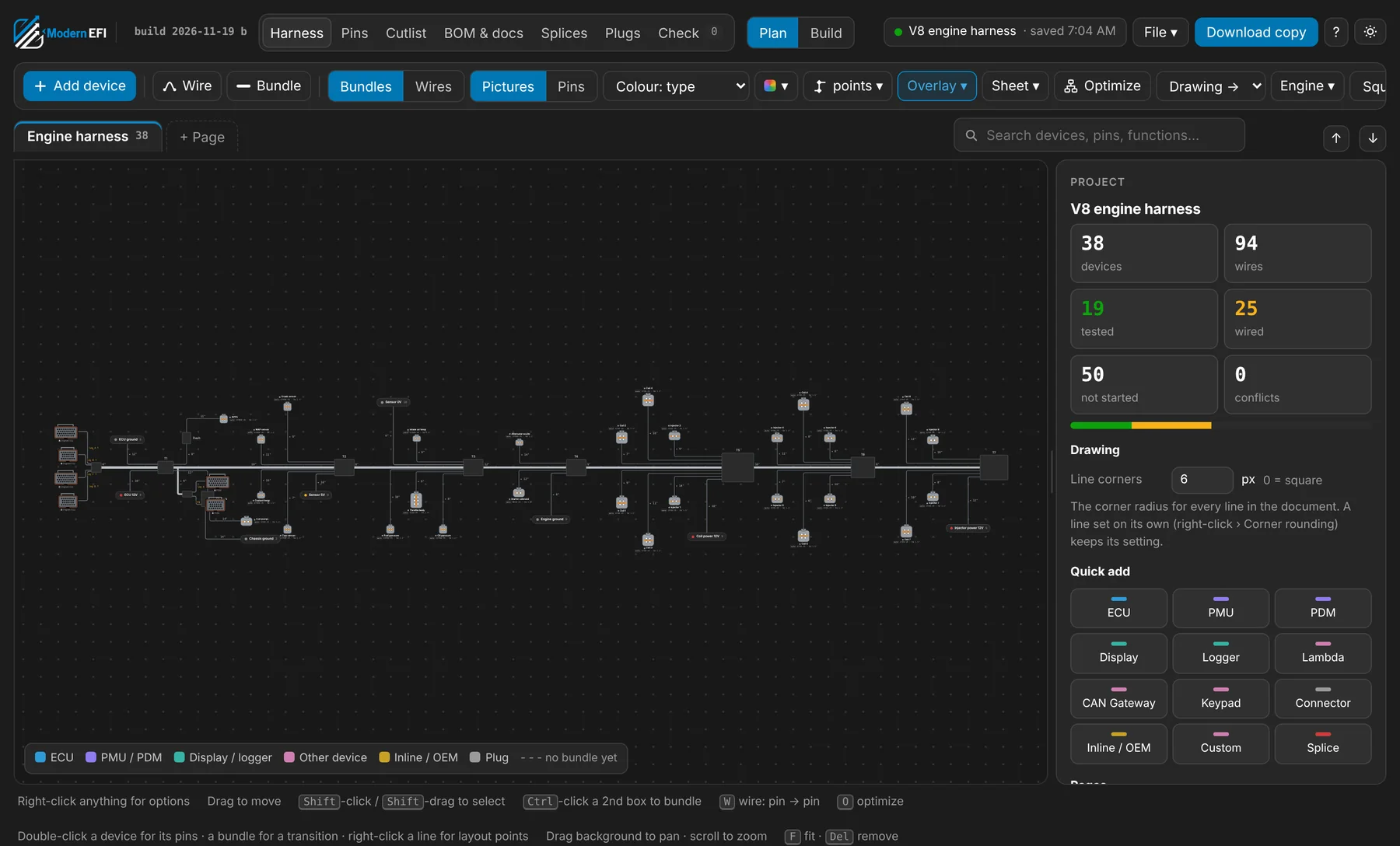
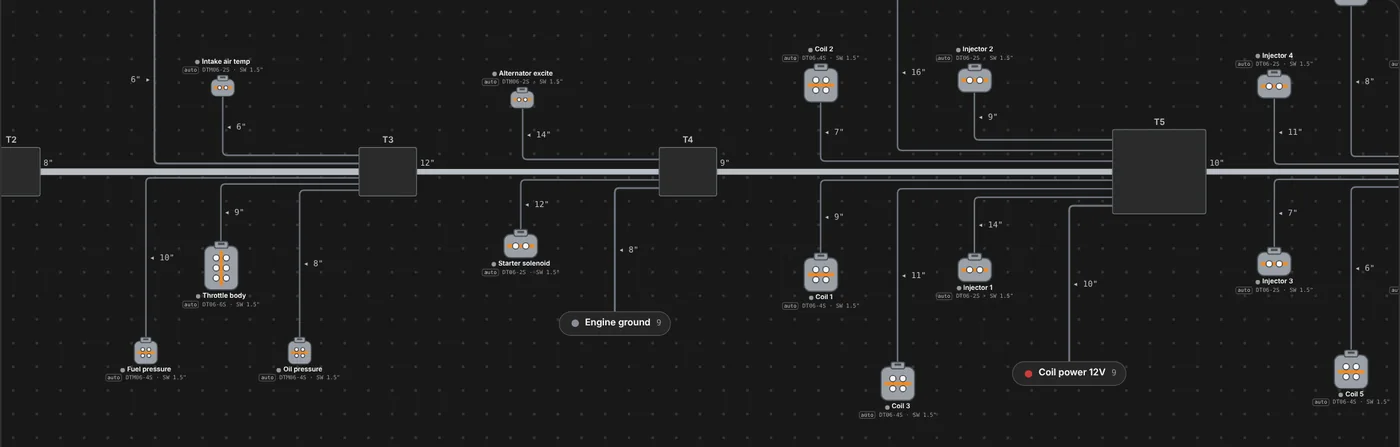
Lay the harness out as trunks, branches and transitions, with a length on every section. Each wire follows its route, so its cut length is always the sum of the path it takes.
- Bundles, transitions, splices and connector boots
- Engine layout and photo or shape overlays behind the drawing
- Optimize tidies a crowded drawing in one click
- Print to a drawing sheet with a title block
Every pin accounted for
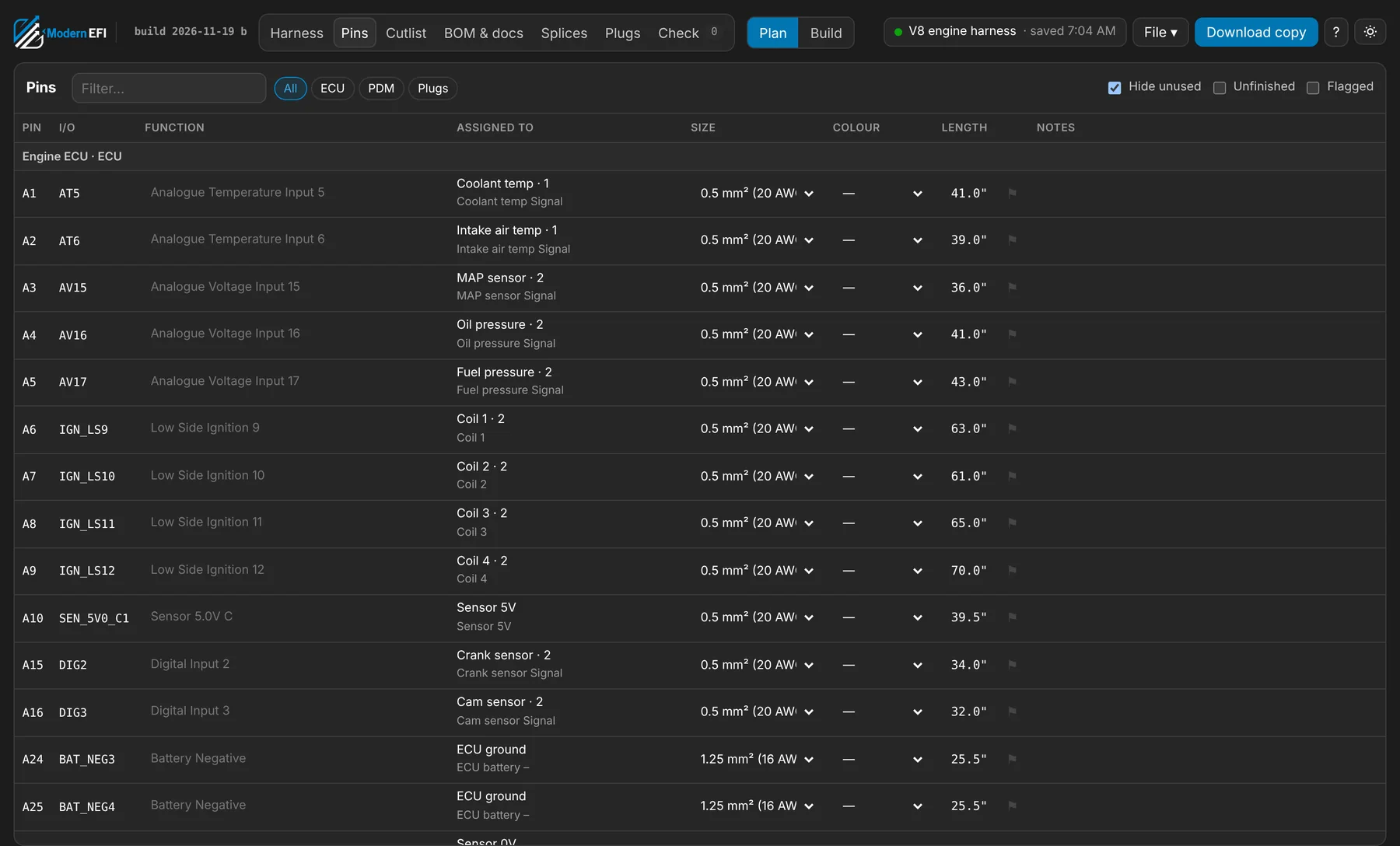
ECUs, power modules and sensors come from a library with their pins and functions already named. Assign a wire to a pin and see its size, colour and length in one table.
- Device and connector library, plus your own custom parts
- Connectors chosen to suit the pin count and wire size
- Wire size, colour, stripe and printed markers
- Search any device, pin or function
The paperwork writes itself
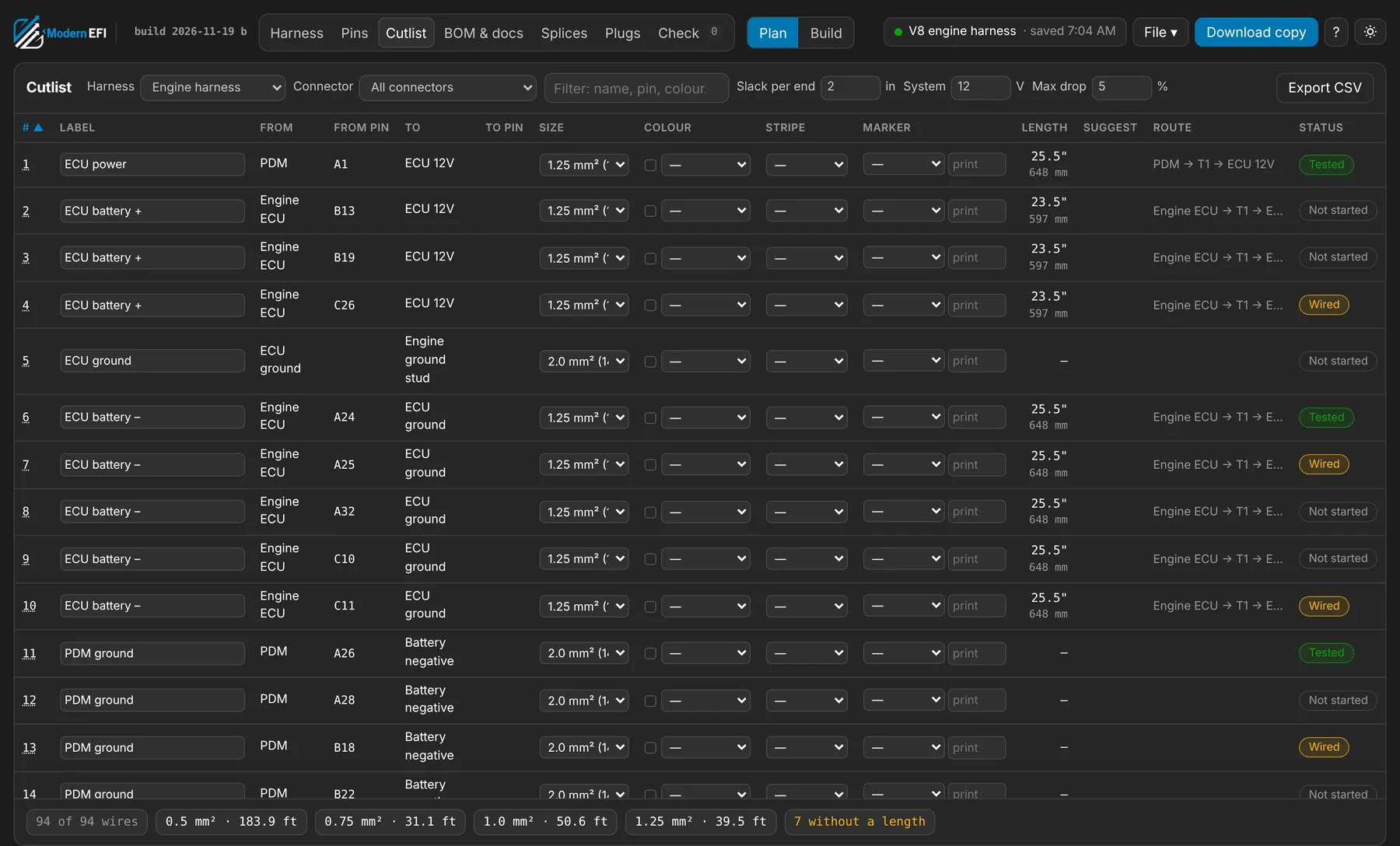
Cut list, bill of materials, connection tables and tool list are produced from the design, so they are right the moment the drawing is.
- Cut lengths with slack per end, in inches or millimetres
- Wire totals by size and voltage-drop suggestions
- Connectors, contacts, seals and covering counted for you
- Print, or export to CSV
Two ways to draw the same harness
Switch between them at any time. Lengths, pins and documents stay the same.
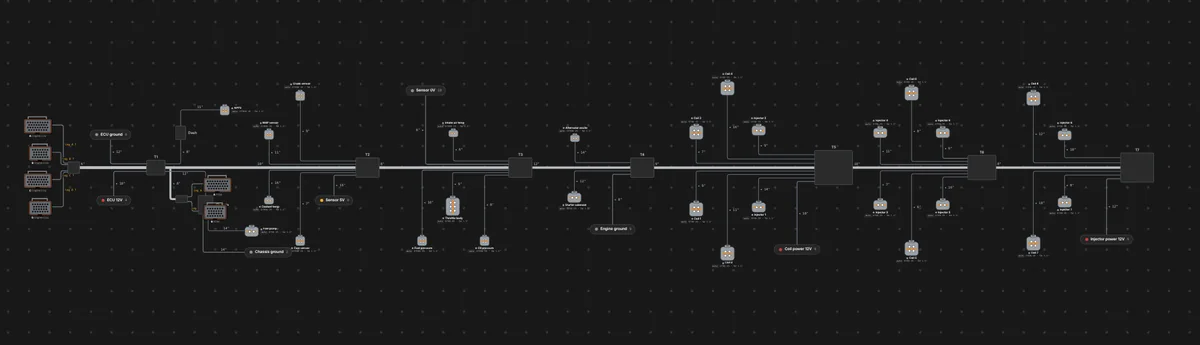
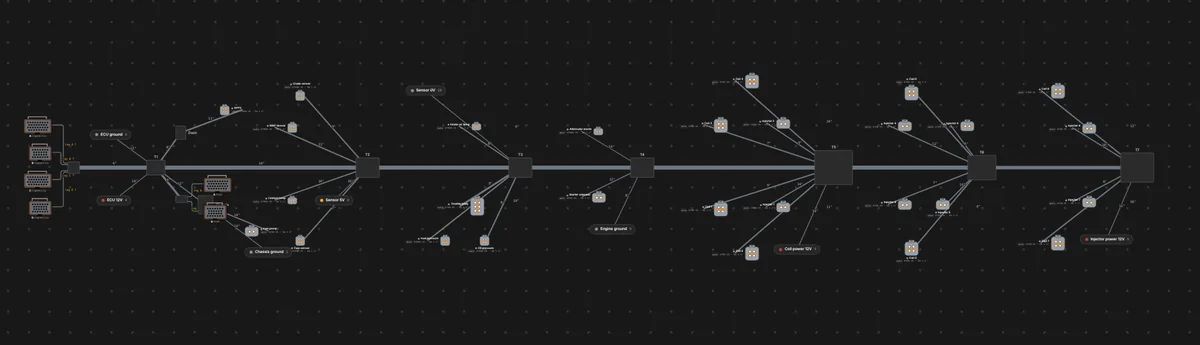
How a harness comes together
Start fast
Quick setup lays out an engine harness from a few choices, or build one from a list of what the car has.
Lay it out
Drag devices into place, bundle the wires, add transitions and set the lengths.
Check it
The Check tab finds overloaded pins, missing lengths, unrouted wires and unconfirmed pinouts.
Build it
Switch to Build mode and mark each wire wired and tested as the harness takes shape.
Your designs stay yours
Saved as you work
Changes save on their own, with restore points to go back to.
Download any time
Take a copy of any design, or everything in your account, whenever you like.
Protected sign-in
Two-step login, over an encrypted connection.
Plan the next harness before you cut the first wire.
Accounts are by invitation during the beta.