

Features
Everything between the idea and the finished harness.
Drawing
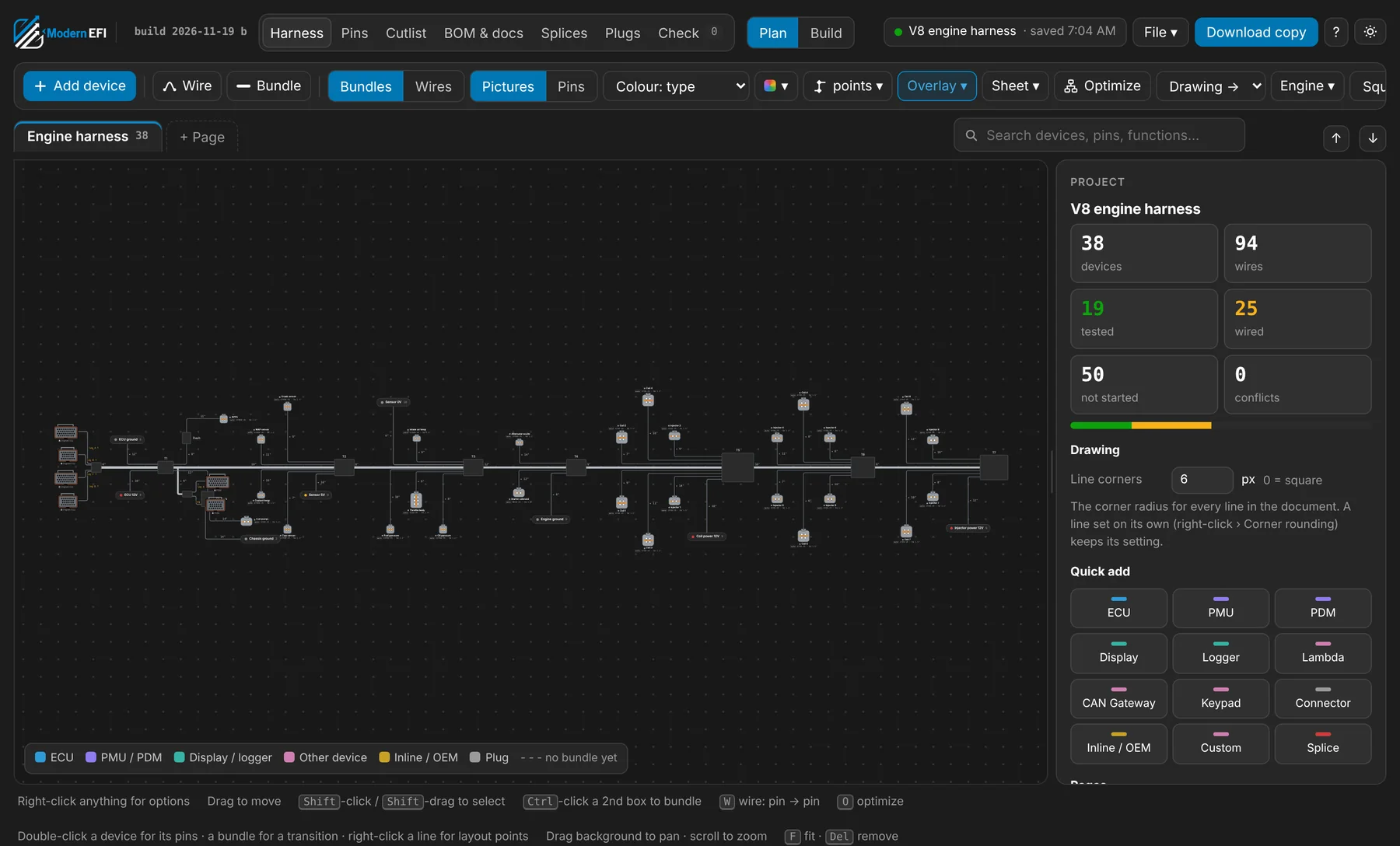
A harness drawing that carries real lengths and real routes.
Two drawing styles
Layout style with right-angle trunks and branches, or straight-line style from point to point. Switch at any time.
Bundles and lengths
Group wires into bundles, give each section a length, and every wire length follows from its route.
Transitions
Mark where the harness splits: a moulded boot, a shrink joint or a taped breakout.
Splices
Join wires inside the harness and keep each splice on its own list.
Several harnesses, one project
Engine, chassis and dash harnesses on their own tabs, joined at bulkhead connectors.
Optimize and layout points
Tidy the whole drawing in one step, then fine-tune any line by hand.
Engine layout and overlays
Place plugs around an engine outline, or draw over a photo or shape.
Quick setup and Build from a list
Paste a list of what the harness connects and get the devices and plugs placed for you, or let Quick setup lay out an engine harness.
Drawing sheet
Print on a sheet with a border and title block.
Pins and wires
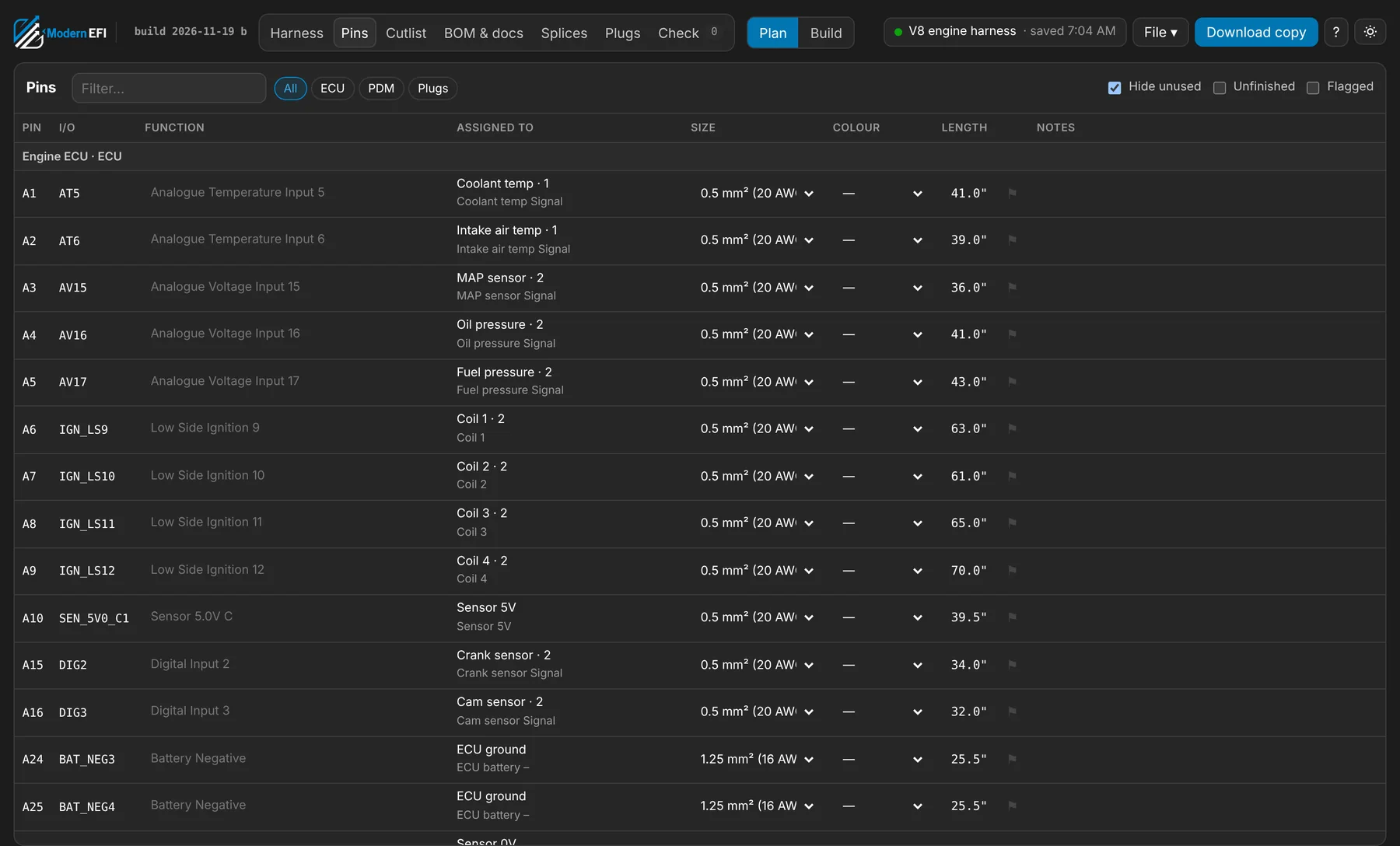
Wiring at pin level, not just lines between boxes.
Device library
ECUs, power modules, displays, loggers and keypads with their connectors, pins and functions. Anything else is a custom device away.
Pins tab
Every pin of every device in one table: function, what it is wired to, size, colour and length.
Wire size, colour and markers
Pick size, base colour and stripe, and set printed marker text.
Shared supplies and grounds
Sensor 5V, sensor 0V, power and ground points that many plugs share.
Custom devices
Add your own device or inline connector with your own pin names.
Import from another program
Bring a harness in from an Excel or CSV wire list, or from a drawing printed to PDF, which also brings the layout and branch lengths.
Search
Find any device, pin or function and jump to it on the drawing.
Connectors
The right plug, with everything that goes in it.
Deutsch DT, DTM and DTP
Connectors picked automatically from the pin count and the heaviest wire.
MIL circular connectors
Shell sizes and insert arrangements, with contact sizes checked against the wire.
Contacts, seals and accessories
Contacts, cavity plugs, wedgelocks, boots and covering ends are counted into the parts list.
Plug sheets
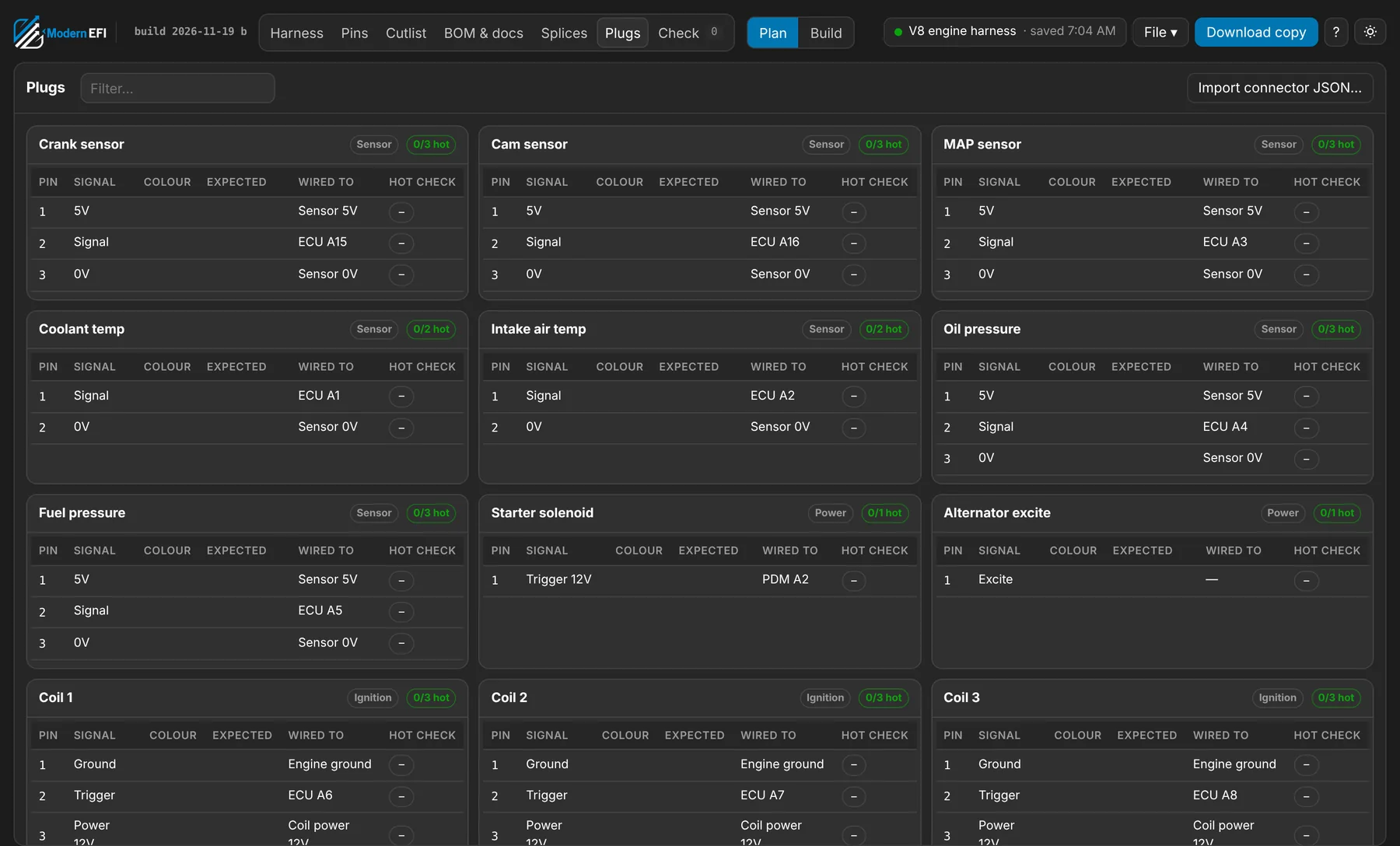
One card per plug: pin, signal, colour and where each wire goes.
Boots
Put a boot on the back of a connector and its length is allowed for.
Import your own
Bring in a connector definition you already have.
Documents
Produced from the design, so they always agree with it.
Cut list
Every wire with its ends, size, colour, cut length and route. Slack per end is added for you.
Voltage drop
Set the system voltage and the allowed drop, and get a suggested size where a wire is too small.
Bill of materials
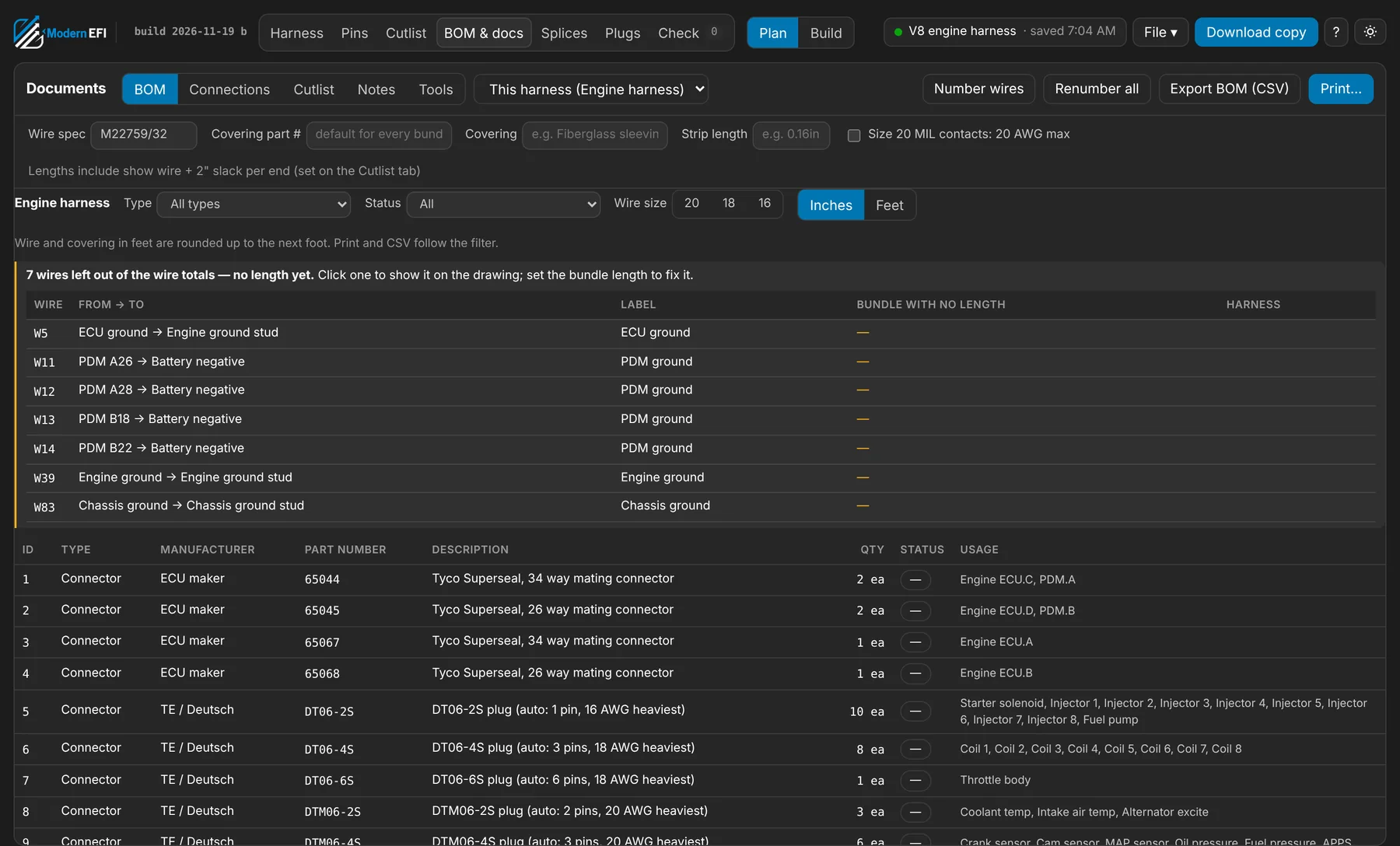
Connectors, contacts, seals, wire by size and covering, with quantities and where each is used.
Connection tables
Pin-to-pin tables for each connector, ready for the bench.
Tool list
The crimp and insertion tools the chosen contacts need.
Print and CSV
Print any document, or export it to a spreadsheet.
Checking and building
Catch mistakes on screen, then track the build wire by wire.
Check tab
Pins carrying too many wires, bundles without a length, wires with no route, CAN bus taps and unconfirmed pinouts.
Flags and notes
Flag any pin or wire with a note and see them all in one place.
Plan and Build modes
Design in Plan mode, then switch to Build and mark each wire wired and tested.
Hot check
Tick off each pin of each plug as it is powered and verified.
Compare
Compare the design with an earlier copy and see what changed.
Wire numbering
Number the wires once and keep the numbers through later changes.
Your account
Built to be trusted with work that matters.
Autosave and restore points
Work is saved as you go, with restore points kept while you work.
Download any time
Download a copy of any design, or all of them at once.
Two-step login
Add an authenticator app to your sign-in.
Never locked out of your work
If a subscription lapses, designs stay readable and downloadable.
Light and dark
Both themes throughout the program.
Built-in help
A searchable guide to every part of the program.
Plan the next harness before you cut the first wire.
Accounts are by invitation during the beta.